A CLEARER TEACHING DAY

Every lesson.
A clearer picture.

From scheduling and teaching to lesson credit settlement, Synapse Portal connects your daily operations—so your team has more room for teaching and students.

Synapse Portal · Demos by appointment

Synapse PortalWORKSPACE
Synapse Portal schedule showing teachers, students, rooms and three fictional demo lessons
Actual product · Fictional demo data
Less scattered. More connected.Schedule → Teach → Confirm

BUILT FOR EDUCATION TEAMS THAT STAY WITH THEIR STUDENTS

  • Tutoring centers
  • Language schools
  • One-to-one teaching
  • Small-group learning

01 / SYNAPSE PORTAL

Bring the everyday
into one clear workflow.

Coordinators, teachers and students share one operational record. Each person focuses on their work, with the context they need.

Start the day with a shared plan.

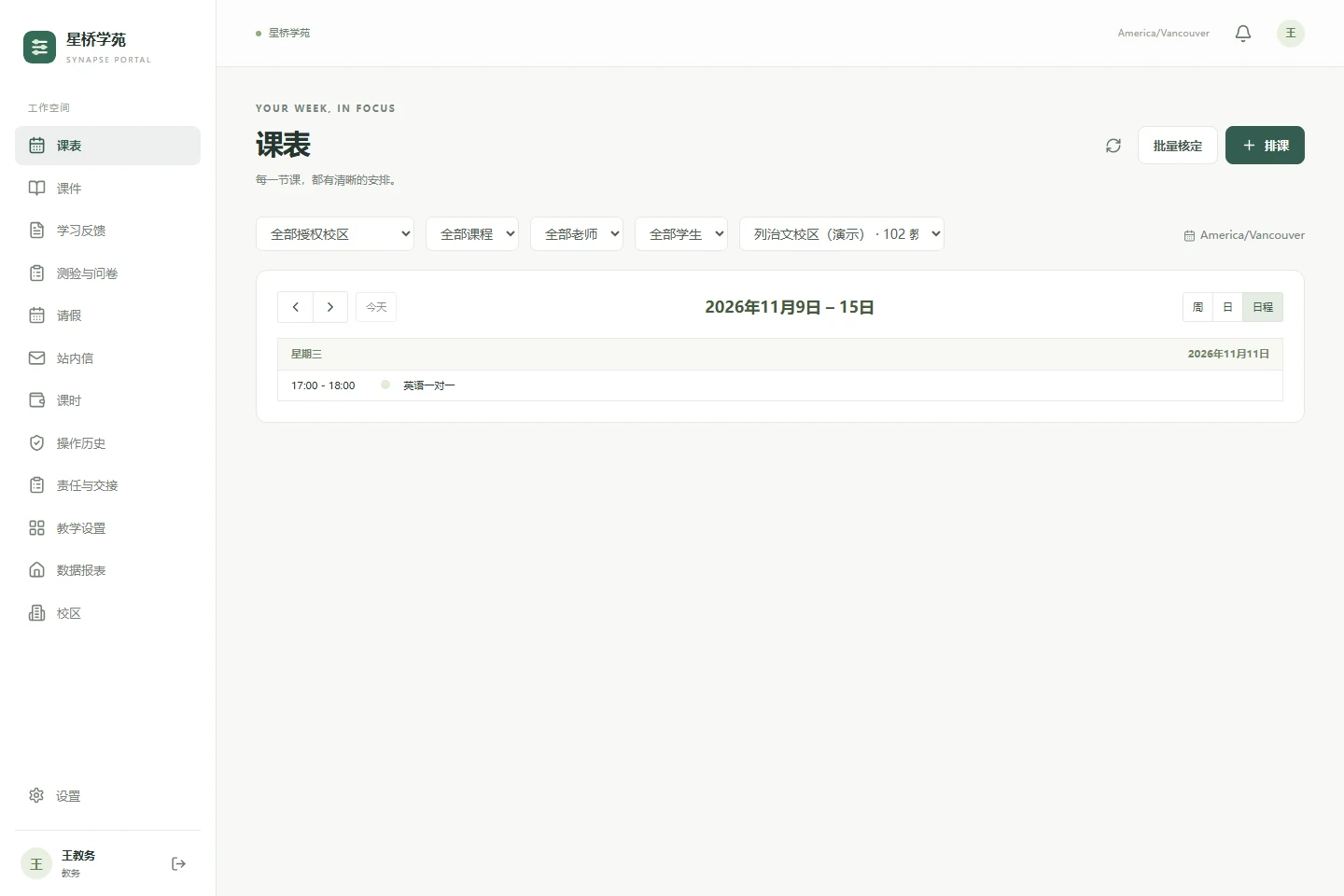
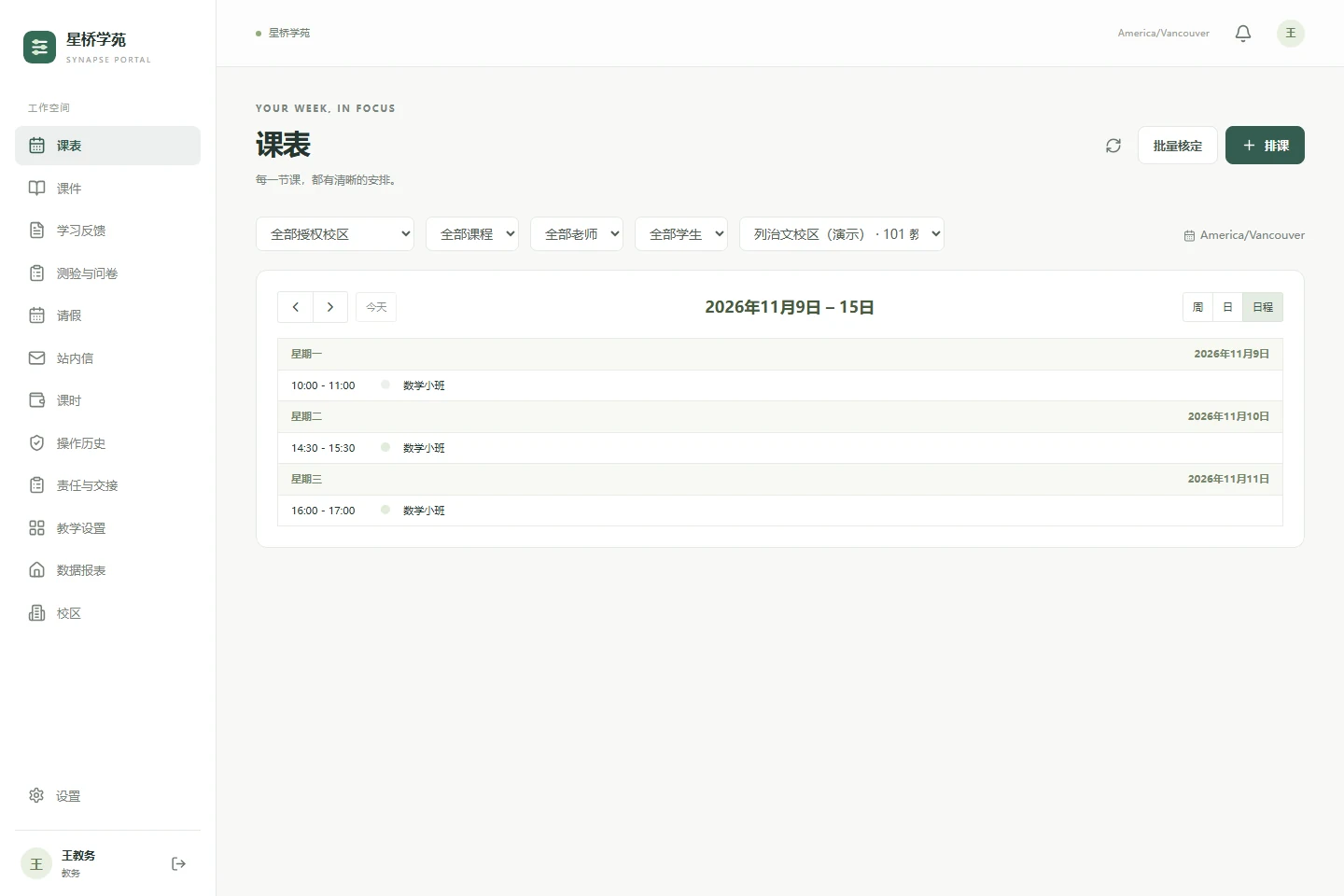
Bring teachers, students and rooms into the same schedule. Handle recurring lessons, rescheduling and substitutes, then connect the plan to what actually happened.

  • Check teacher, student and room conflicts
  • Record lesson starts, ends, attendance and leave
  • Let coordinators confirm delivered teaching time
Watch this workflow
Actual scheduling interface showing planned lessons and the teaching calendar
Actual product · Fictional demo data

Keep the conversation going after class.

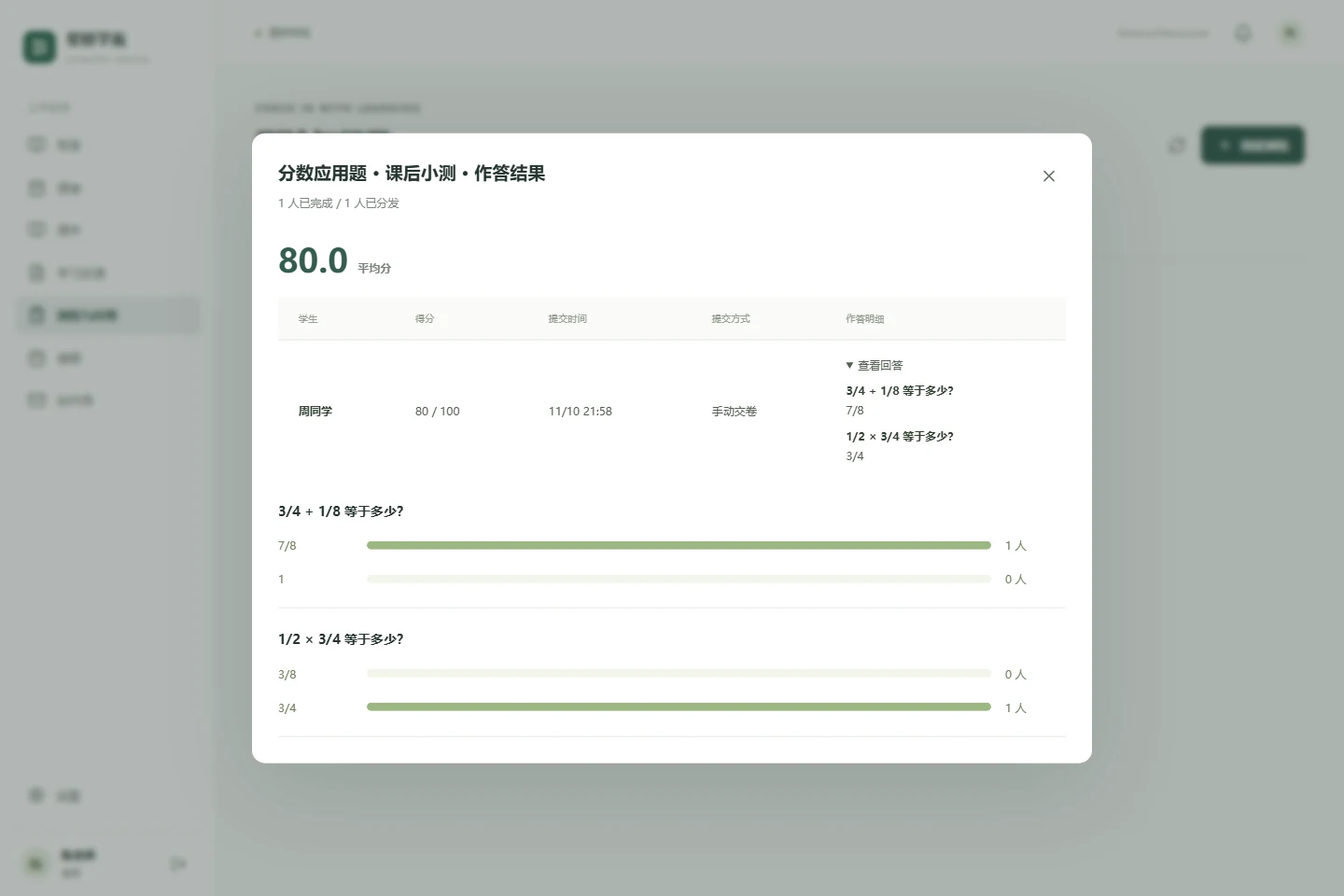
Connect student setup and enrollment with materials, quizzes and feedback. Keep preparation and follow-up in context, with less repeated checking.

  • Connect student records, enrollment and classes
  • Organize materials, feedback and objective quizzes
  • Follow up through named surveys and internal messages
Watch this workflow
Student quiz results showing answers, a score and question analysis, with fictional demo data
Actual product · Fictional demo data

Explain every change in the balance.

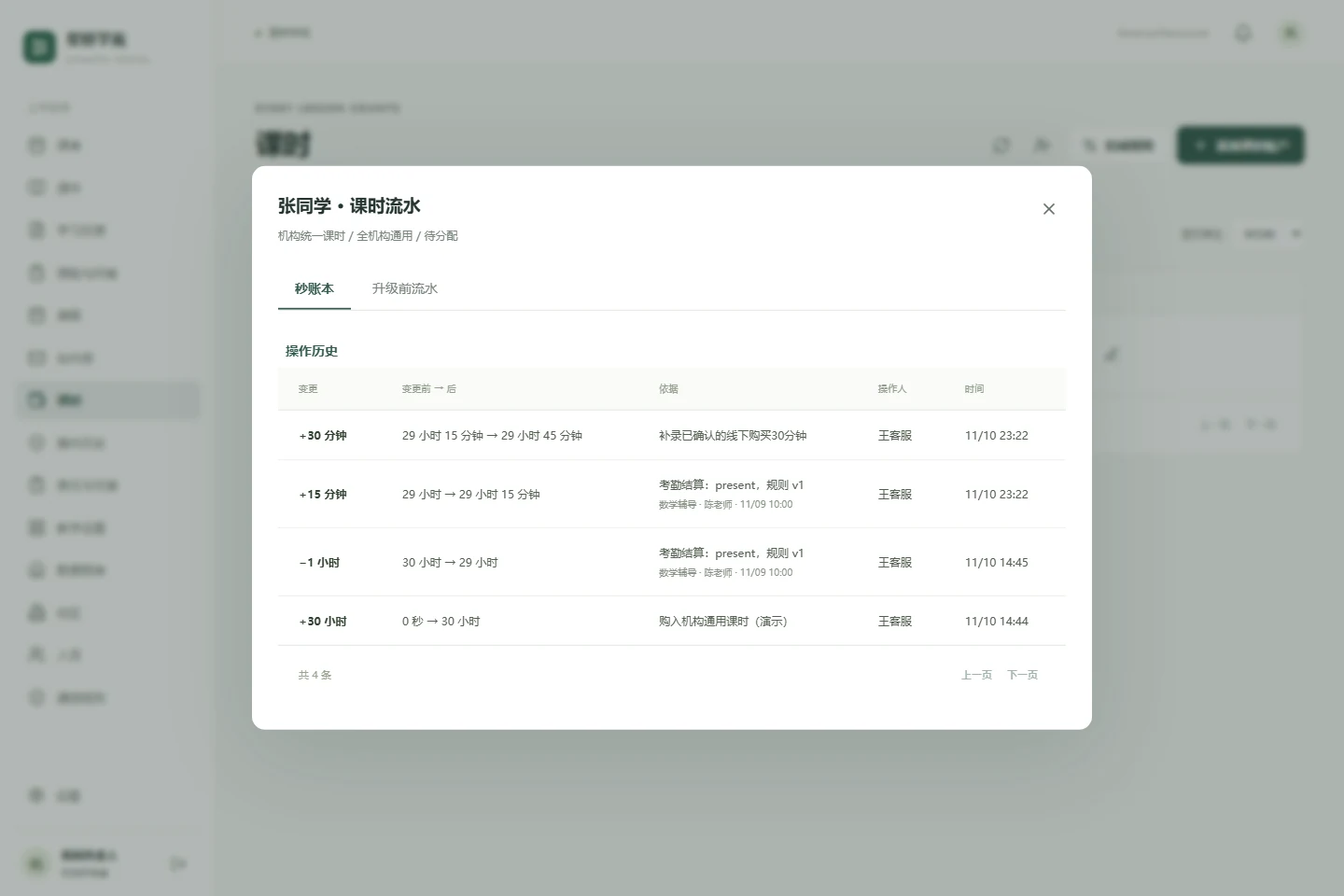
Give each student one institution-wide lesson-time balance. Distinguish remaining, reserved and available time, and trace deductions and corrections to their source.

  • Use a shared balance across courses and teachers
  • Distinguish scheduled and confirmed teaching time
  • Retain top-up, settlement and correction records
Watch this workflow
Lesson credit ledger showing top-ups, deductions and corrections, with fictional demo data
Actual product · Fictional demo data

Multiple campuses

Organize teaching resources and management scopes by campus.

Clear responsibilities

Give coordinators, teachers and owners the access they need.

Desktop and mobile

Use the web application or install it as a PWA.

02 / SEE IT IN ACTION

Real workflows. A closer look.

Three short walkthroughs: how a lesson is scheduled, a student is supported, and a credit adjustment is reconciled.

Scheduling & lesson delivery1:01
01

Scheduling & lesson delivery

Follow a lesson from scheduling to check-in, teaching and coordinator confirmation.

Watch on TikTok
Student management & follow-up1:26
02

Student management & follow-up

Connect student setup, enrollment, materials, quizzes and learning feedback.

Watch on TikTok
Credit reconciliation & corrections1:15
03

Credit reconciliation & corrections

Review balances, correct teaching-time differences and trace each change.

Watch on TikTok

Mandarin narration · Chinese & English captions included · Fictional demo data

03 / AI FOR TEACHING & LEARNING

Support the work
around every lesson.

Two independent AI tools, built to help students understand and teachers prepare.

FOR STUDENTS

AI Homework Help

A different way
to understand a problem.

Explore explanations in English or Chinese, transcribe handwriting, listen to spoken explanations and export answers as documents.

  • Explanations
  • Spoken guidance
  • Document export
Try homework helpExternal demo · Opens in a new window
FOR TEACHERS

Lecture Studio

From source material
to editable lecture slides.

Select textbook content, inspect the source evidence, and generate and edit lecture slides. Explore the sample textbook or upload your own PDF.

  • Textbook retrieval
  • Source evidence
  • Slide editing
Try Lecture StudioExternal demo · Opens in a new window

Both tools are available as demos. Sign-in, usage limits and data handling follow the information in each application. Review AI output against your source material and teaching judgment.

04 / ABOUT SYNAPSE

Grounded in the everyday work of education.

Synapse Education is an independently developed, self-funded early-stage education software project. We focus on practical problems faced by small and midsize education providers: scattered information, scheduling conflicts, lesson balances and ongoing student support.

With Synapse Portal at the center, alongside AI Homework Help and Lecture Studio, we are exploring better connections between school operations, student learning and lesson preparation. The products continue to evolve, informed by feedback from real teaching settings.

Make the work clearer.
Make more room for people.

LET’S TALK

Tell us about your teaching day.

Share your team’s size, how you work today, and the problem you most want to solve. We can explore whether Synapse is a good fit.

Watch the demos

Video player provided by TikTok. If playback is unavailable, use the link below.